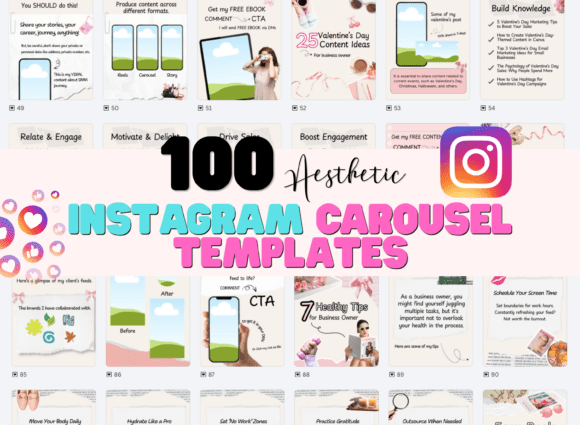
100 Canva Instagram Carousel Templates for a Cohesive Feed
Building a recognizable brand on Instagram requires more than just good photography. The way you present information—your layouts, your text overlays, your overall aesthetic—tells a story before a single word is read. For many entrepreneurs and creators, the challenge isn't a lack of ideas, but the time and design skill required to execute them consistently. This is where a well-structured template bundle becomes an invaluable asset, acting as the foundation for your visual communication.
The Scrapbook Aesthetic: More Than Just a Trend
The pink and beige scrapbook style found in this collection taps into a powerful current in digital design: the desire for authenticity and tactile warmth. This isn't the sterile, overly-polished look of a decade ago. Instead, it embraces paper textures, torn edges, and collage-style layouts that mimic the feel of a handmade journal. The combination of handwritten and modern font pairings within the templates creates a friendly yet professional voice. The organic shapes and aesthetic elements—think washi tape, subtle shadows, and botanical sketches—add depth without clutter, making the content feel curated and personal, not manufactured.
This style functions as a versatile creative font and design system for your feed. The feminine color palette of soft pinks and warm beiges provides a neutral, calming backdrop that allows your own product photos and messages to shine. It’s a modern typography approach that prioritizes feeling and connection over rigid formality. The personality is approachable, trendy, and inherently shareable, which is precisely what drives engagement on platforms like Instagram and Pinterest.
Strategic Applications for Brand Builders
Understanding where this aesthetic works best is key to leveraging it effectively. Its strength lies in projects that aim to build community, educate, or inspire through storytelling.
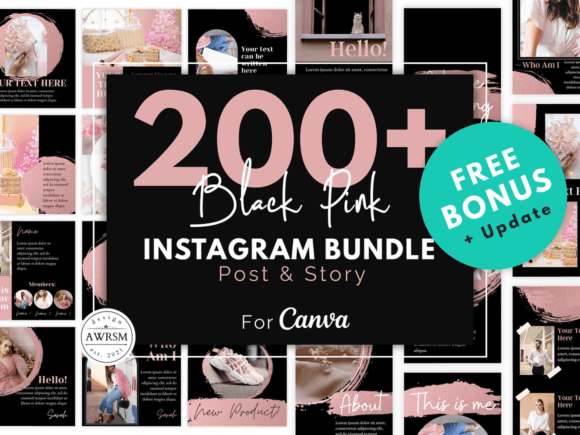
- Social Media Graphics & Carousels: This is its primary home. The 100 Canva Instagram Carousel Templates are engineered for the swipe-through format. Use them for step-by-step tutorials, listicles, client testimonials, or portfolio showcases. The scroll-stopping content structure guides the viewer’s eye from one slide to the next, increasing time spent on your post.
- Digital Product & Course Branding: If you sell digital planners, e-books, or online courses, this aesthetic provides instant brand identity cohesion. Use the templates to create promotional graphics, module announcements, and student testimonials that feel aligned with a soft, thoughtful product.
- Blog & Newsletter Graphics: Translate your Instagram look to your blog. Create featured images, Pinterest pins, and email headers using the same font pairing and layout principles. This builds cross-platform recognition, making your brand feel more established and trustworthy.
- Packaging & Print Design Elements: While primarily digital, the textures and motifs can inspire physical branding. Elements like the torn paper edges or handwritten labels could be adapted for thank-you cards, sticker sheets, or product tags, creating a cohesive unboxing experience.
How Design Assets Influence Perception
Consistency in visual assets does more than make your feed look pretty; it directly impacts how your audience perceives your brand. A cohesive aesthetic, achieved through tools like the 100 Canva Instagram Carousel Templates, builds professionalism and recognition. When a follower sees your post, they should immediately know it’s yours before reading the handle. This visual shorthand saves cognitive effort and builds trust.
The choice of a display font for headings and a clean sans serif font for body text within these templates isn't arbitrary. It creates a clear visual hierarchy, making your content scannable. The handwritten font elements add a human touch, which can increase perceived approachability. This strategic mix influences readability and guides the viewer to your most important message, whether it's a call-to-action or a key benefit. For a small business owner or content creator, this professional layout signals that you value quality and attention to detail—qualities customers look for in the brands they support.
Practical Guidance for Implementation
Acquiring the template is the first step; using it effectively is the next. Here’s how to integrate this asset into your workflow thoughtfully.
- Evaluate the Fit: Before committing, consider your brand’s core personality. Does the pink & beige scrapbook aesthetic align with your values and audience? It’s ideal for niches like wellness, coaching, handmade goods, lifestyle blogging, and creative services. If your brand voice is edgy or corporate, you may need to heavily customize the color palette.
- Master the Customization: These are fully customizable in Canva. Don’t just plug in your text. Adjust the color palette to your specific brand hex codes. Swap the font pairings if needed—Canva offers a vast library of premium fonts and free alternatives. Change out the placeholder images for your own high-quality photos to truly make the templates yours.
- Test for Readability: Always preview your carousel on a mobile device. Ensure text contrast is sufficient and that the modern typography scales well. The goal is viral-style carousel posts that are easy to consume, not just beautiful to look at.
- Build a Content System: Use the 100 templates to plan a month’s worth of content in advance. Categorize them: use certain layouts for educational posts, others for promotions, and some for community engagement. This systematizes creation and ensures your feed has a balanced, rhythmic variety while maintaining a unified look.
- Understand the License: Most template bundles come with a commercial license allowing you to use them for your business projects. However, it’s prudent to review the specific terms regarding reselling the templates themselves or using them in client work. The value is in using them as design assets for your own brand, not in reselling the Canva files.
Ultimately, a resource like the 100 Canva Instagram Carousel Templates